We’re excited to introduce PreonLab 7.2! Where previous releases focused on adding new physics capabilities, PreonLab 7.2 is about getting the most out of them. This release brings a broad set of improvements to everyday workflows, making work in PreonLab faster, more intuitive, and unlocking more value from both existing and new features. At the same time, 7.2 makes steady-state thermal simulations considerably more efficient and brings targeted improvements for transmission, soiling, and rigid body simulation workflows. Together, these enhancements let you spend less time on simulation setup and focus more time on understanding the results.
Read on further for all the details!
Make sure to follow us on LinkedIn so that you don’t miss new videos, case studies and updates!
From GUI Clicks to PreonPy Scripts
Many simulation setups involve the same sequence of steps again and again, such as importing geometry, creating sensors, assigning properties, and configuring renderings. PreonPy has always made it possible to automate these steps. However, writing a script from scratch meant looking up the right commands and translating interactive work into code by hand.
PreonLab 7.2 makes this much easier with Script Recording. Once activated in the GUI, it records the actions a user performs and automatically generates the corresponding Python code. This code serves as a ready-made starting point for a PreonPy script. To reuse it across different scenes, users can adapt it as needed, for example by replacing hard-coded file names or values with variables. This way, workflows that were previously repeated manually can be turned into reusable scripts much faster.
Simulation Setup
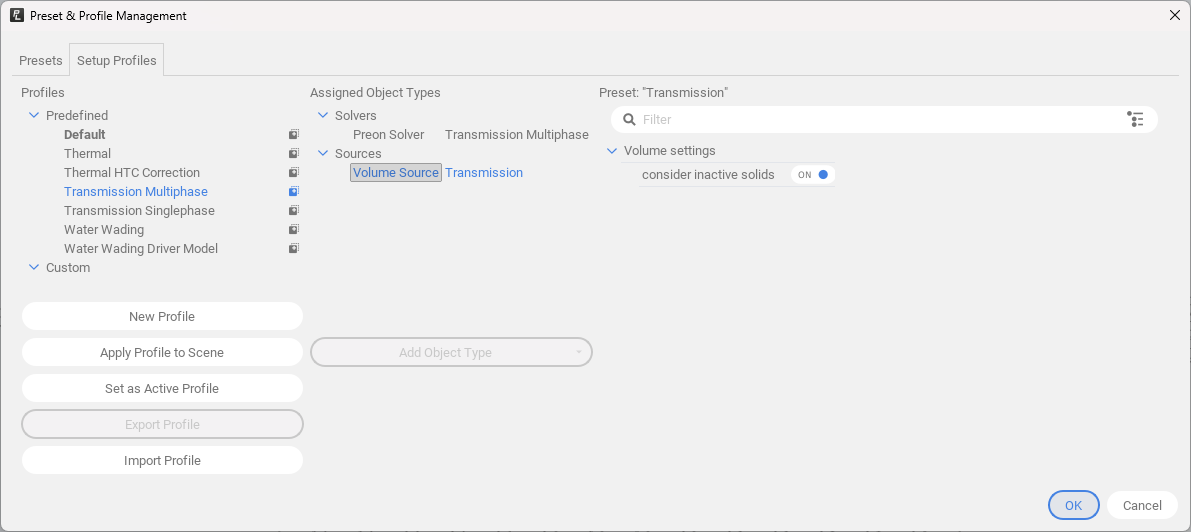
New Setup Profiles store and apply predefined settings for recurring simulation types, giving users a consistent starting point and reducing setup time. A deviation check compares the scene against the active profile and labels any properties that deviate from it, so differences are easy to spot. Profiles can also be exported and shared across teams, ensuring everyone works with the same setup.

Setup profiles make it easy to apply predefined settings to recurring simulation types, ensuring setup consistency. They can also be shared with team members.
Scene Navigation
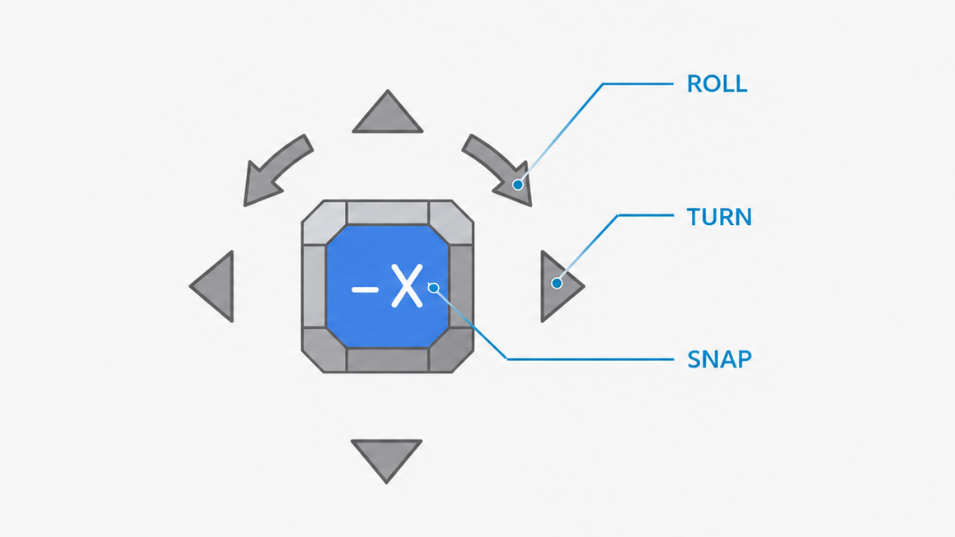
A new Orientation Cube in the viewer shows the current camera orientation and allows quick switching between standard views with a single click. Additional shortcuts for showing, isolating and hiding objects make it faster to focus on the relevant parts of complex scenes.

Orientation Cube showing current view and enabling easy switch to other views.
Visualization and Rendering
The new View Finder provides a preview of the PreonRenderer’s output directly in the viewer. Users can check framing and composition before starting a rendering, avoiding wasted rendering resources.
Text annotations can now be added directly to renderings. They can show static labels, dynamic statistics and including user-defined values via calculation objects.
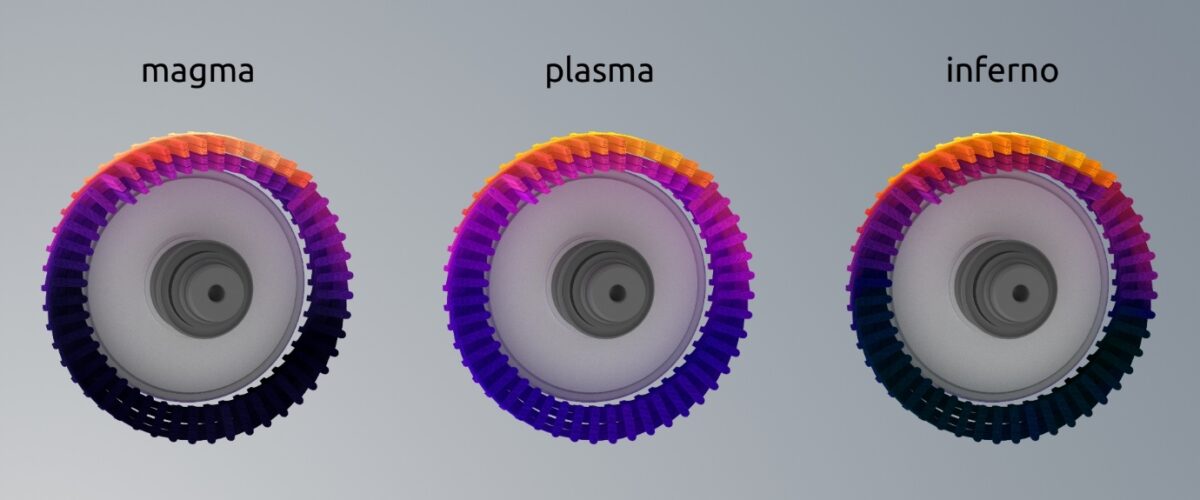
Advanced color maps now support up to nine colors, and discrete colors are possible as well. Together, these offer more control over how results are displayed, making it easier to highlight specific value ranges.

E-motor windings visualization with custom color maps.
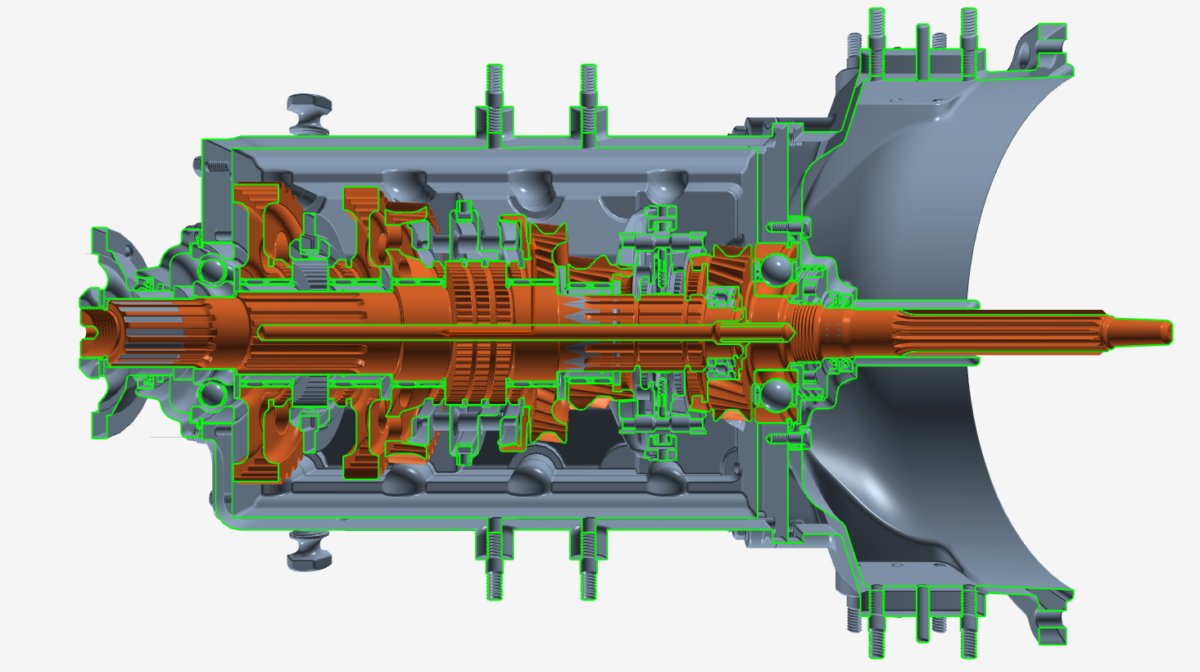
The clipping plane now also shows a clipping outline by default, making cross-sections easier to understand.

Cross-section with the highlighted outline.
Keyframe Editing
Working with keyframed setups is now smoother. Keyframes can be deleted across multiple objects at once with a right-click, and new options in the Keyframe Editor make managing keyframes quicker and easier.
Post-processing and Results Evaluation
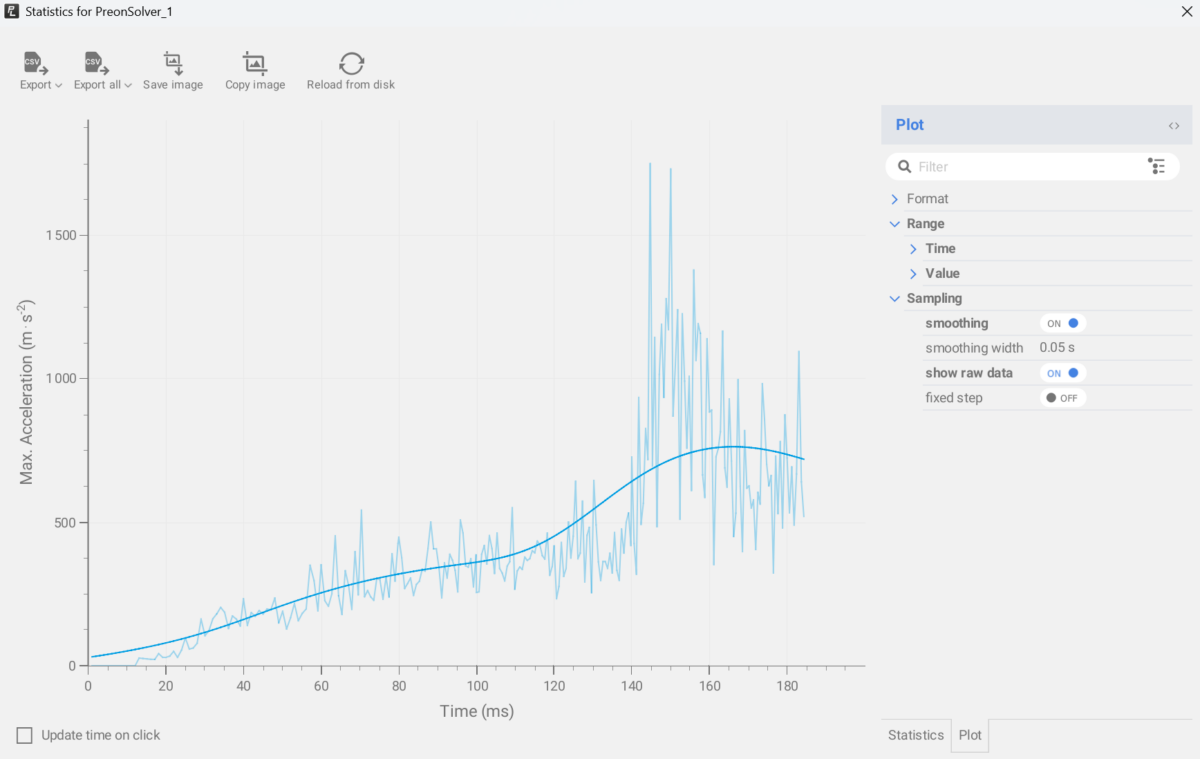
Raw and smoothed statistics can now be shown in the same plot, so users can see both raw data and the smoothed trend without switching views. The plot legend can now be displayed inside the plot area, making better use of screen space and producing cleaner figures for reports.
Pathlines can now be restricted by origin or destination, showing only the paths of particles that start in or end up in a selected region. This makes it much easier to trace where fluid comes from and where it goes.

Showing raw and smoothed data in the same chart.
Reaching Steady State Faster
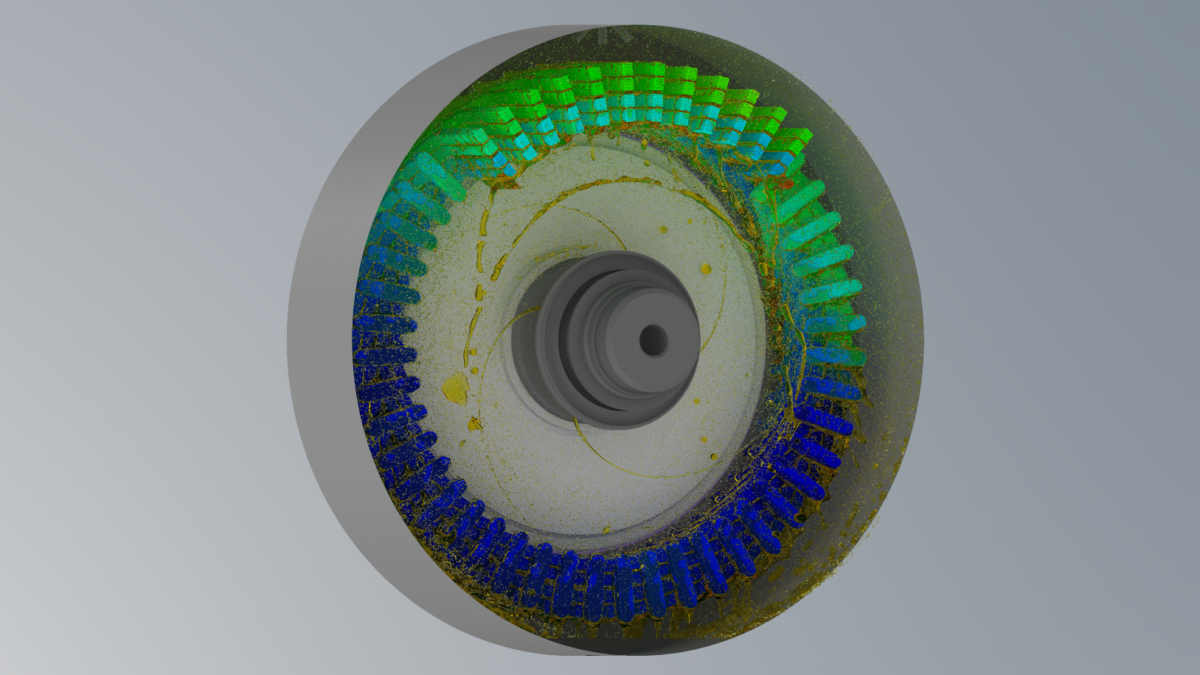
In many thermal applications, engineers are interested in the steady-state temperature distribution, for example the temperatures an e-motor reaches at a constant operating point. In a fully coupled simulation, fluid and solid are computed together at every time step. Because solids heat up slowly, reaching a converged thermal state this way can require long simulation times.
PreonLab 7.2 addresses this with the Staggered CHT approach. Instead of computing fluid and solid together at every time step, the two domains are alternately active and frozen. The active domain sees the frozen one similar to a boundary condition. Since heat moves quickly through the fluid by advection but slowly through the solids by conduction, the fluid can be simulated for a much shorter time than the solids. This makes steady-state thermal simulations up to 8x faster, with comparable accuracy for the steady-state result.
Using staggered CHT is as simple as it gets. The simulation is set up exactly as before, and staggered CHT is enabled with a single switch as the final step. This makes it easy to switch between the Staggered or Monolithic CHT approaches without changing much else in the scene.
Staggered CHT builds directly on the higher-order thermal solver improvements of the last two releases. It gives users a choice of approach. Monolithic CHT remains the right tool where transient behavior is of importance. Staggered CHT is the efficient choice when the steady-state result is what counts.

E-motor simulated using Staggered CHT approach.
Simulating Transmission Applications with PreonLab 7.2
PreonLab 7.2 builds on the transmission features of recent releases and focuses on making these simulations faster to set up. New setup profiles which apply selected solver and scene settings for an application in a single step, and a new multiphase gearbox tutorial, guide users from an empty scene to their first results.
It also introduces Compressible Position Correction (CPC), a new option in the PreonSolver that makes multiphase simulations with continuous particle size (CPS) much more robust. In our tests, CPC stabilized multiphase cases that previously could only be run at uniform resolution. This matters for production gearbox cases, which are often demanding: tight packaging and large differences in length scale between the overall dimensions and the smallest resolved clearance mean they may require CPS to remain tractable. CPC is designed for exactly these scenes. More broadly, any multiphase CPS simulation with air bubbles trapped by geometry should also benefit from CPC.

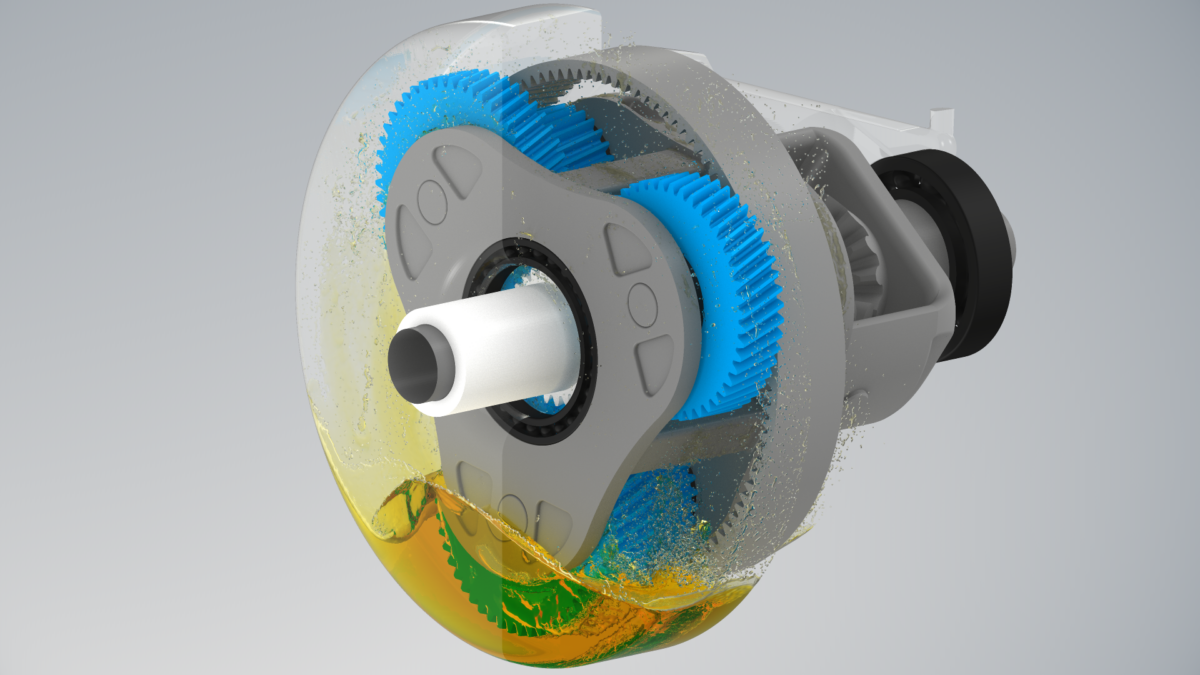
Volumetric rendering of a planetary gearbox simulation.
Updates to the Virtual Wind Tunnel
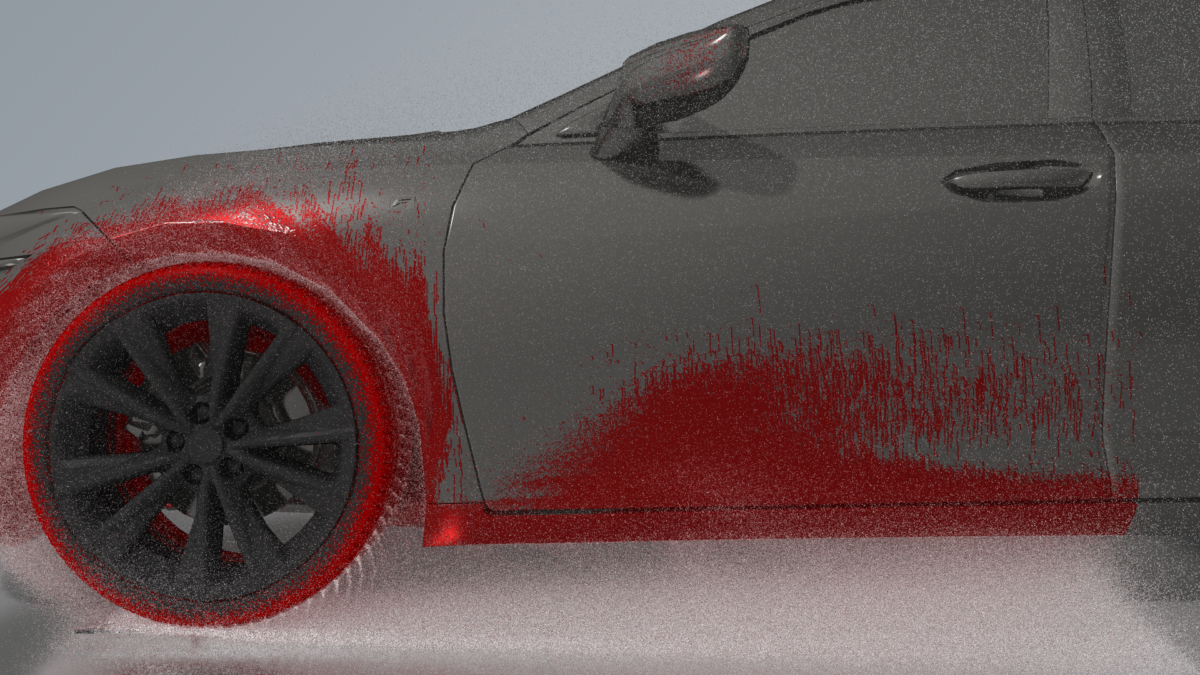
The recently introduced Virtual Wind Tunnel (VWT) now automatically keyframes wheel rotation based on the airflow. This simplifies the workflow for generating transient airflows within PreonLab that can be used directly to simulate soiling applications such as tire-splash behavior, vehicle side-soiling, and vehicle rear-soiling. The VWT has also been optimized to improve its performance on GPU.

Soiling pattern (red) resulting from water being splashed by rotating wheels on the vehicle’s surface.
User-Defined Drop Size Distribution for the Rain Source
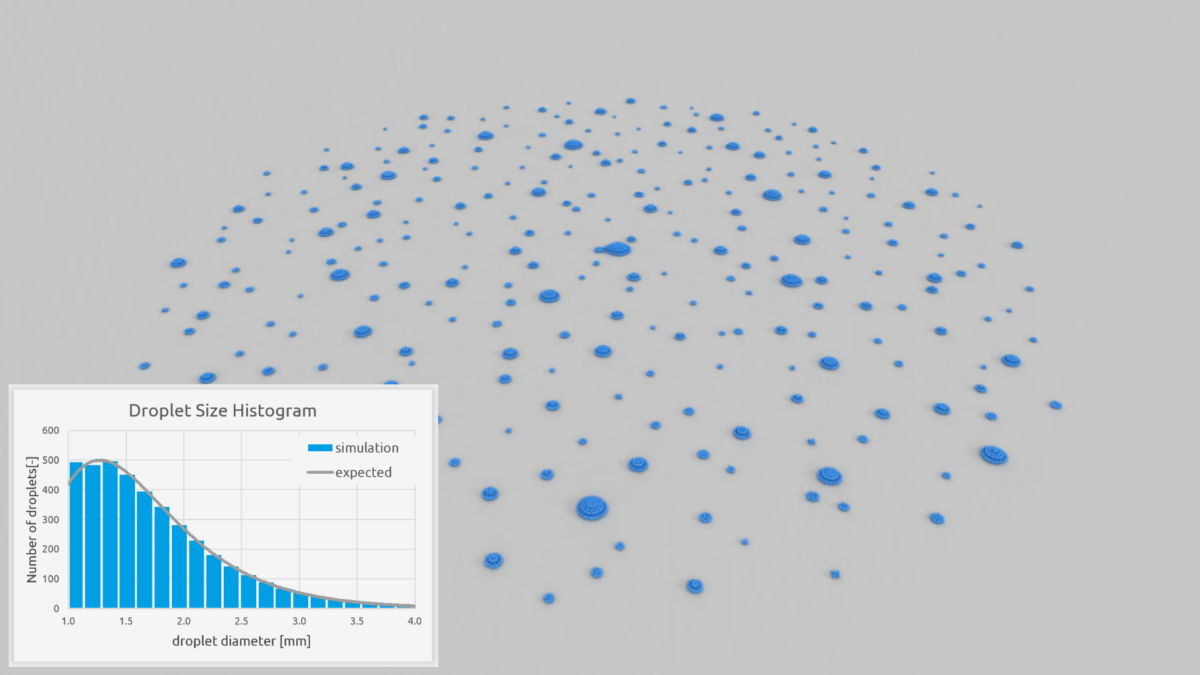
In addition to the normal distribution, the rain source now supports user-defined drop size distributions based on log-normal and Rosin-Rammler parameters, giving users greater flexibility to define realistic data for rain management simulations.

Visualization of drops accumulated on a flat surface after being initialized in the area source with a log-normal size distribution.
Rigid Body Constraints
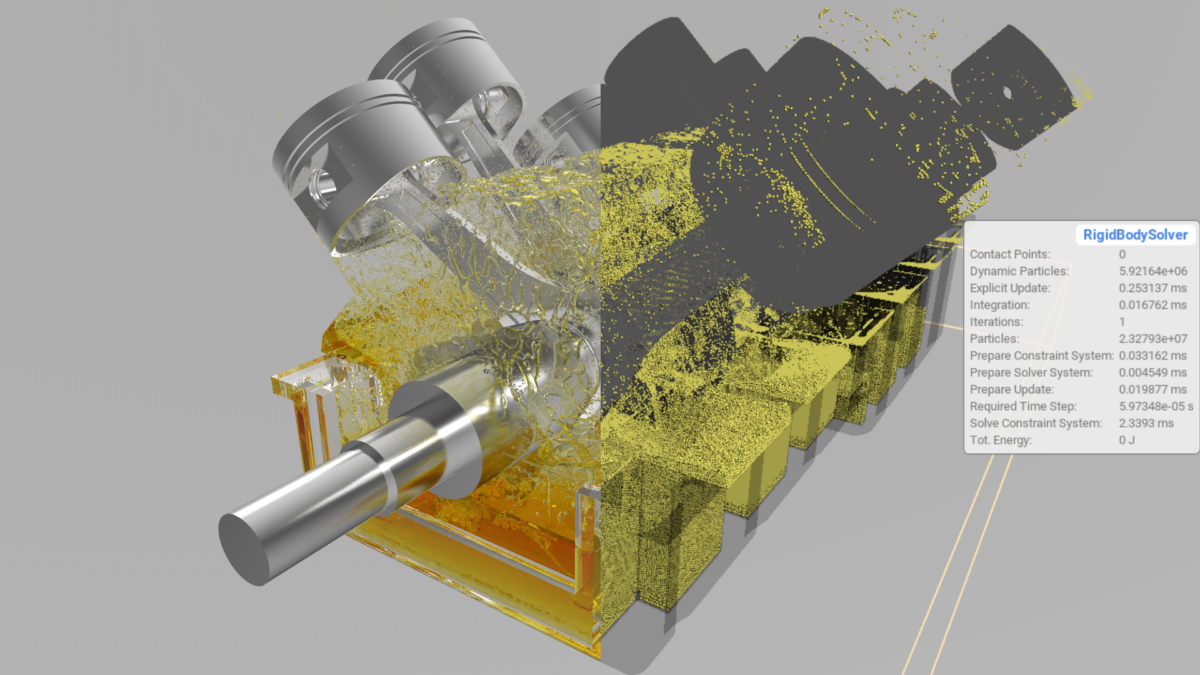
We are thrilled to introduce exciting advancements for rigid body simulation in the form of rigid body constraints and joints. The experimental new feature adds to the possibility of applying external loads to dynamic rigid bodies, by allowing users to define joints and constraints such as revolute joints, slider joints, spherical joints, and universal (cardan) joints. Accompanied by an intuitive setup workflow, this new feature removes the need to animate solids in simulation scenes using external scripts and allows for more control over physics-based movement of rigid bodies during simulation.

Crankcase sloshing simulation set up using rigid body constraints and joint connections.
New User Account Required for PreonLab Downloads
Starting with the release of PreonLab 7.2 on October 15, 2026, a user account is required to download PreonLab. All releases, including older versions, are now available exclusively through the FIFTY2 Customer Portal. To request your user account, please contact your AVL account manager or our sales team and let them know which email address should be used.
To learn more about all the new features, have a look at the updated manual. We hope you will enjoy working with PreonLab 7.2 and are looking forward to your feedback.