We’re excited to introduce PreonLab 7.1. This release brings important new capabilities, but also further advances and builds upon capabilities from previous releases. PreonLab 7.1 introduces new capabilities for airflow generation to couple with soiling simulations, while extending our vehicle dynamics functionality even further. It also advances thermal simulation, making our solver both faster and more accurate. At the same time, it delivers a new set of workflow and usability improvements shaped directly by you, our customers. Together, these enhancements span physics modeling, software efficiency, and day-to-day workflows, making our end-to-end solution faster, more accurate, and more user-friendly.
Read on further for all the details!
Make sure to follow us on LinkedIn so that you don’t miss new videos, case studies and updates!
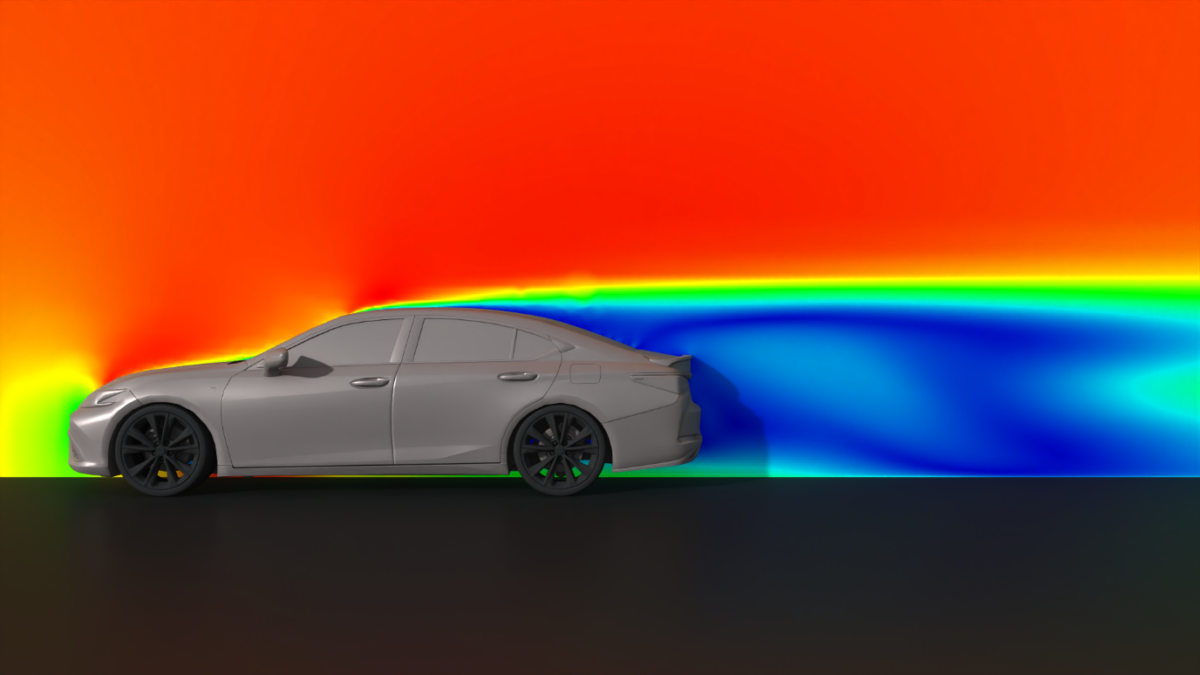
Visualization of a steady airflow generated around a vehicle placed inside the Virtual Wind Tunnel in PreonLab.
More Control over Your Simulation Workflows
When it comes to vehicle soiling simulations, reliance on externally generated airflow data can slow down analysis and design iteration at every stage. PreonLab 7.1 addresses this challenge by giving Preoneers greater control over their workflow.
At the core of this release is the Virtual Wind Tunnel (VWT), which enables users to generate airflow around any object that can be placed in a conventional wind tunnel, directly within the simulation environment. Designed specifically with vehicle soiling applications in mind, the Virtual Wind Tunnel significantly shortens feedback loops between airflow generation and design iteration, particularly in early development phases.
It supports both steady and transient airflow generation through an integrated FVM solver. Users can define local refinement regions and concentrate the analysis on the most relevant regions by restricting data storage to a specified region in the domain. This targeted approach eliminates the need to import large, full-vehicle datasets when only specific components or regions are of interest, reducing memory usage and accelerating data handling.
A streamlined input interface further simplifies setup by focusing on the most critical parameters, enabling fast configuration without sacrificing control. The generated airflow can then be directly applied to simulations involving water, snow, mud, and other particle-based fluids. This allows users to quickly assess initial soiling trends and efficiently prepare design variants for subsequent high-fidelity simulations where deeper analysis is required.
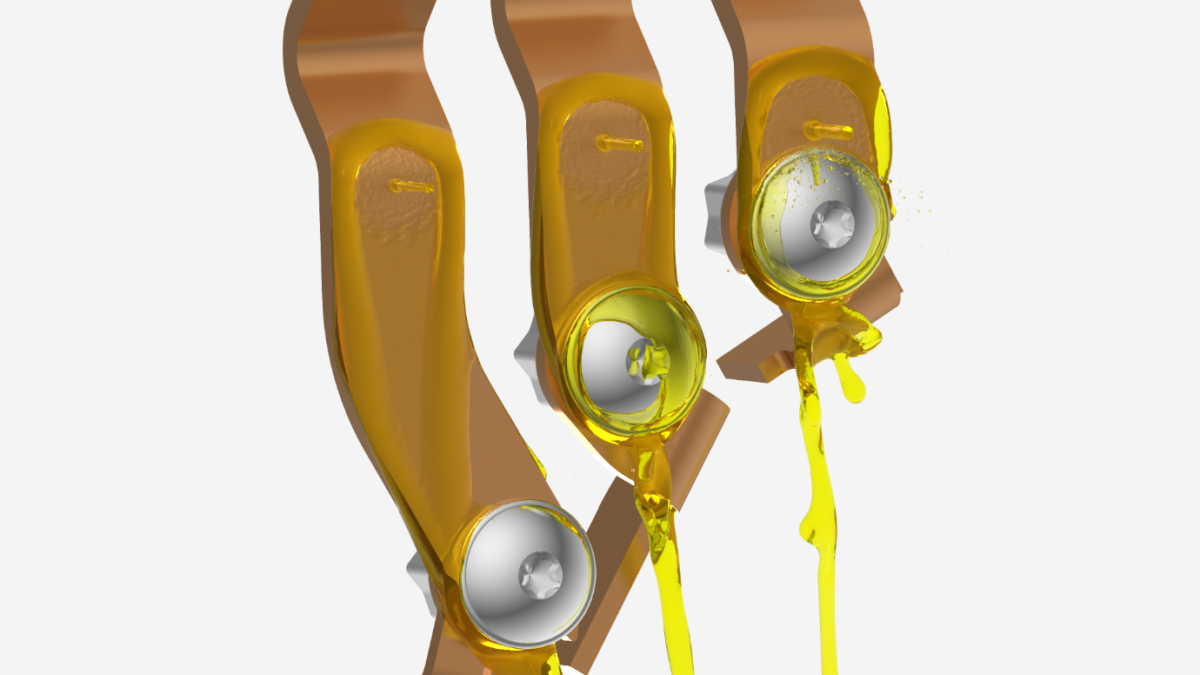
Rendering of a busbar cooling simulation in PreonLab.
Accuracy and Simulation Efficiency
One of the main challenges of increasing accuracy is often the associated computational cost. With the last two releases, we have addressed both of these pain points, and we are proud that PreonLab 7.1 now delivers major improvements in both accuracy and simulation efficiency.
In the bus bar validation model, simulation performance improved by 50%, while 7 out of 9 heat transfer measurements now fall within 5% of the experimental data. Similar benefits can also be seen in validation cases, such as the cooling plate and disc cooling. This marks a major step forward in accuracy, while keeping simulation times on par with our prior thermal solver.
For cases where decoupling fluid and solid materials remains advantageous from a performance perspective, the new release also improves these workflows through the improved higher-order sensor and the time-average local reference temperature. These additions support existing approaches and make it easier to use coupled workflows, where that remains the preferred method.
Taken together, these updates mark another important step forward for thermal simulations in PreonLab. They open the door to a wider range of thermal applications within a single simulation environment, with e-motor cooling being just one example. Whether the focus is on tightly coupled CHT workflows or more performance-driven decoupled approaches, PreonLab 7.1 provides greater flexibility, stronger accuracy, and improved efficiency across thermal use cases.
Simulation Stopping Criteria
PreonLab 7.1 introduces a new Stopping Criterion sensor that automatically terminates simulations once user-defined conditions are met.
Stopping criteria can use statistics from the scene or from connected objects such as sensors or calculation objects. Users can define threshold-based or convergence-based conditions and combine them: Single mode stops when any condition is met, while Combined mode requires all conditions.
This reduces manual monitoring and improves automation of simulation workflows.
Major Enhancements to Calculation Objects
PreonLab 7.1 significantly expands the role of Calculation Objects, making them a central tool for defining dependency-driven simulation setups by introducing Calculated Properties.
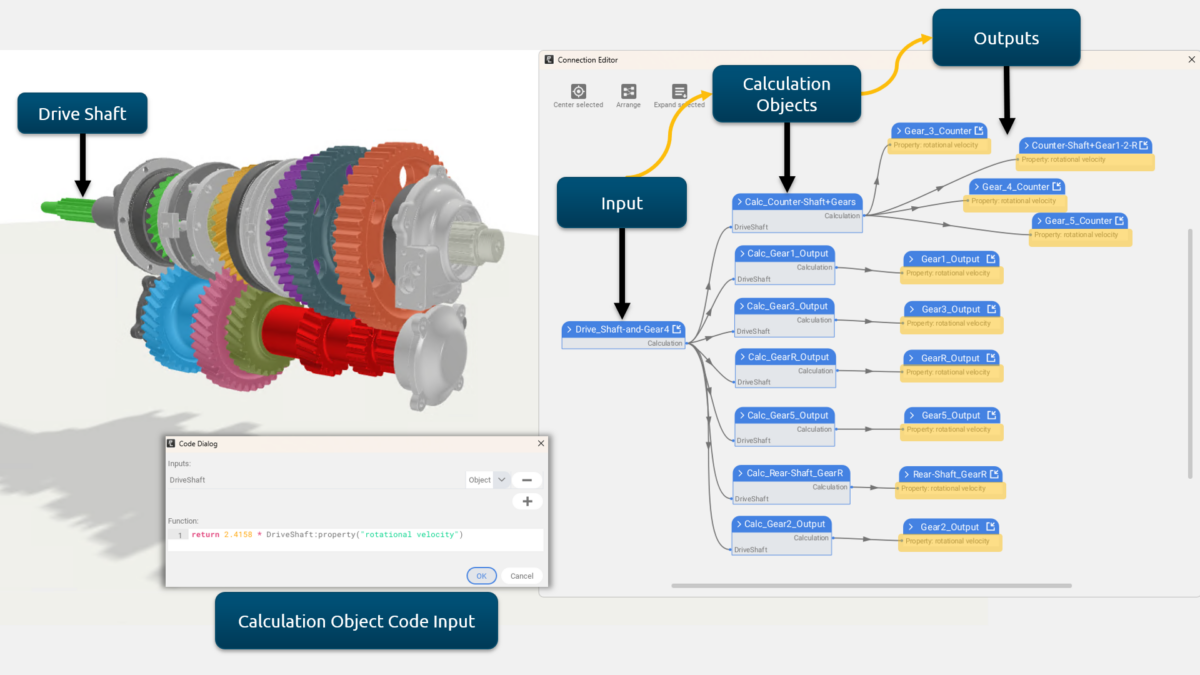
By assigning Calculation Objects directly to properties, users can move beyond keyframes and PreonPy scripts to create consistent parametric and feedback-driven setups, such as linking gear speeds or controlling boundary conditions based on sensor data.
To support these workflows, the function editor now includes auto-suggestions, making it easier and faster to build expressions while reducing errors.
Image showing a calculation objects hierarchy in PreonLab that links gear speeds from the driving gear to the output gears using calculated properties.
Scene Access and Concurrency Control
PreonLab 7.1 introduces scene access and concurrency control for more reliable collaboration on shared scenes. When opening a scene, a concurrency check is performed: if no conflict exists, it opens with full edit access.
If the scene is already in use, users can choose to cancel, open in restricted access mode without save permission, or take over editing via full edit mode. This ensures clear ownership and prevents unintended overwrites. Restricted access allows inspection, visualization adjustments, and rendering, while protecting the original file. Overall, the feature increases transparency and reduces conflicts in shared workflows.
Sensor Data Export to EnSight Gold
Sensor data can now, in addition to .csv file type, also be exported in EnSight Gold format. This provides users with an additional export option in a compact format and makes it easier to directly import sensor results into tools such as ParaView for visualization and evaluation.
Improved Simulation Stability
The fluid pressure solver is now strongly coupled with the Full Car Suspension Model, making the vehicle-fluid interaction more robust while preventing instabilities in challenging scenarios. This also allows for a stable vehicle initialisation inside
the fluid domain, lifting the limitation in the previous version of PreonLab.
Enhanced Motion Control
Updates also include enhancements to the Full Car Suspension Model in the form of improved cornering behavior, where the Instantaneous Center of Rotation (ICR) is now computed directly from heading changes (and vehicle dimensions), resulting in smoother, more physically consistent vehicle motion. Ackermann steering kinematics have been introduced, ensuring accurate inner and outer wheel angles during cornering and better alignment with real vehicle geometry.
Consequently, the legacy 2D heading vector has been replaced by a single heading angle, simplifying setup. Moreover, distance-mapped trajectories replace time-based heading control, allowing a fixed course to be defined independently of speed. When combined with a distance-mapped velocity profile, this enables precise control, such as slowing down before the wading channel, curves, bumps, or slopes, without affecting the trajectory itself. This means that speed adjustments, external forces, or switching to a driver model no longer alter the driven path.
Together, these changes make vehicle paths velocity-independent, steering behavior more realistic, and simulation setup more predictable.
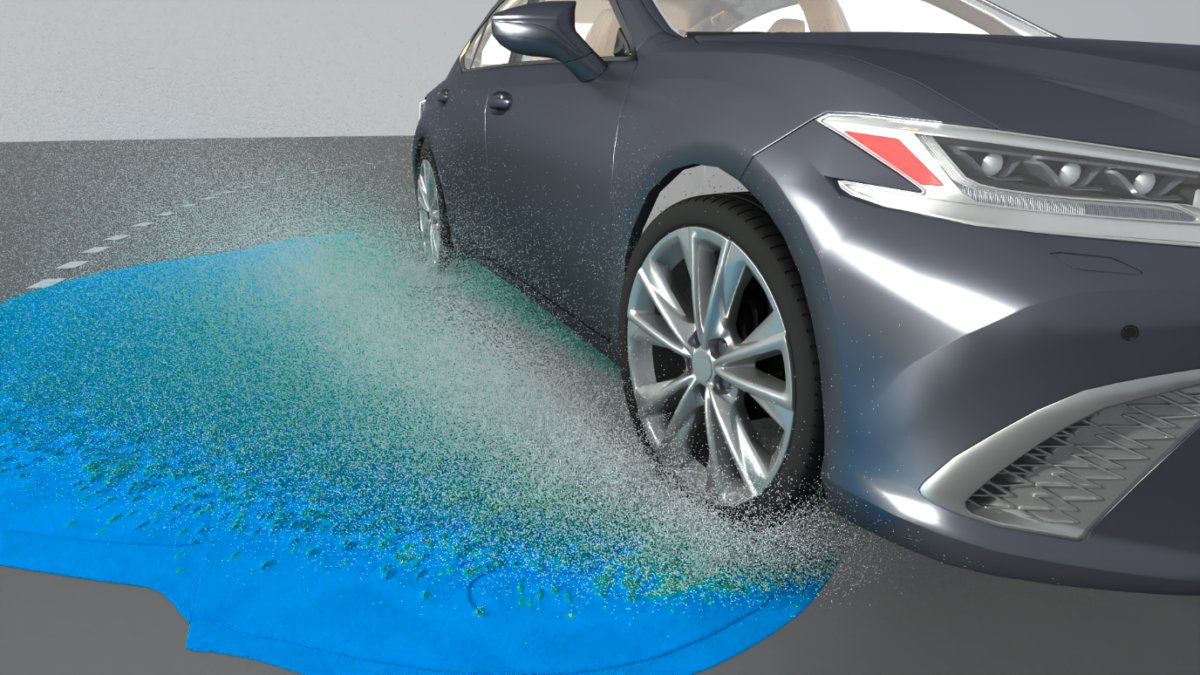
Visualization of a vehicle creating a splash as it follows a curved trajectory and drives through a water puddle in PreonLab.
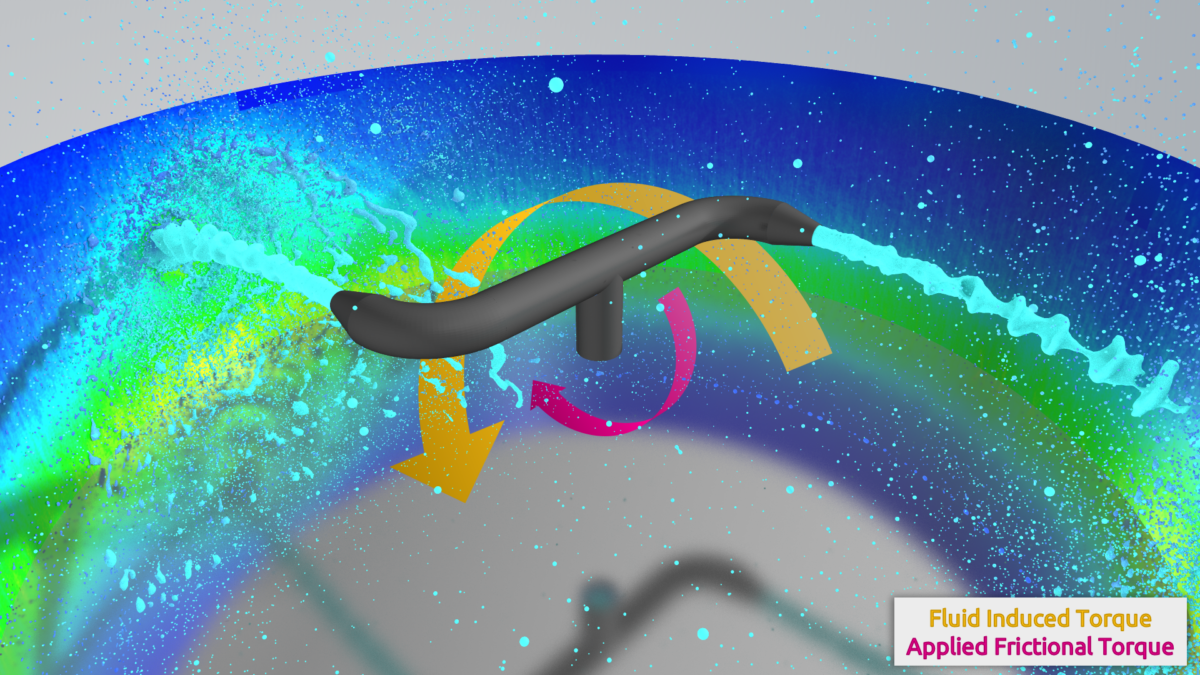
External forces can now be applied in the form of a point load, a force or torque about the center of mass, or a torque representing a rotational motor, i.e., a torque that can be applied to the center of mass of a dynamic body to reach a target angular velocity. This opens up possibilities like being able to consider frictional torques for dynamic rigid bodies for more realistic simulations.
Visualization of the direction of rotation of a fluid induced torque and an externally applied frictional torque in a sprinkler-arm simulation in PreonLab.
To learn more about all the new features, have a look at the updated manual. We hope you will enjoy working with PreonLab 7.1 and are looking forward to your feedback.